Hawayi tv is one of those lightweight streaming apps that gets attention quickly because it keeps things simple. It works on Android phones and TV screens, includes live channels, offers access to today’s matches, and gives you multiple server options so you can choose what works best for your internet speed.
If you want an easy setup, this version of Hawayi tv is especially appealing because the app itself is presented as an original build, while the player used with it is a modified version prepared to work smoothly with the app. The result is a clean installation flow with no unnecessary complications.
For anyone who regularly installs TV apps with Downloader, this process will feel familiar. If you want more Android TV app walkthroughs in the same style, the Android TV app guides here can help with similar installs.
Table of Contents
- 📱 What Hawayi tv offers
- 📺 Devices supported by Hawayi tv
- ⬇️ Downloader code for the Hawayi tv app
- ▶️ The required player for Hawayi tv
- ⚙️ Streaming quality and server choices
- 🛠️ Full installation flow in order
- ✅ Why this Hawayi tv version stands out
- ❓ FAQ
📱 What Hawayi tv offers
The main appeal of Hawayi tv is that it is built for both convenience and flexibility. It is not limited to one type of device, and it is not locked into one streaming quality.
- Live channel access for general viewing
- Today’s matches included inside the app
- Support for phone and TV, including Android TV setups
- Multiple servers with different performance levels
- High, medium, and weak-internet friendly streams
- Light app size, around 14 MB
- No ads in this featured version
That server variety matters. Some servers are described as very good in quality, some are medium, and some are better suited for slower connections. That gives Hawayi tv a practical advantage over apps that only work properly on fast internet.
📺 Devices supported by Hawayi tv
Hawayi tv is intended to work on:
- Android phones
- Android TV devices
- TV boxes
- Smart TVs that support Android-based app installation
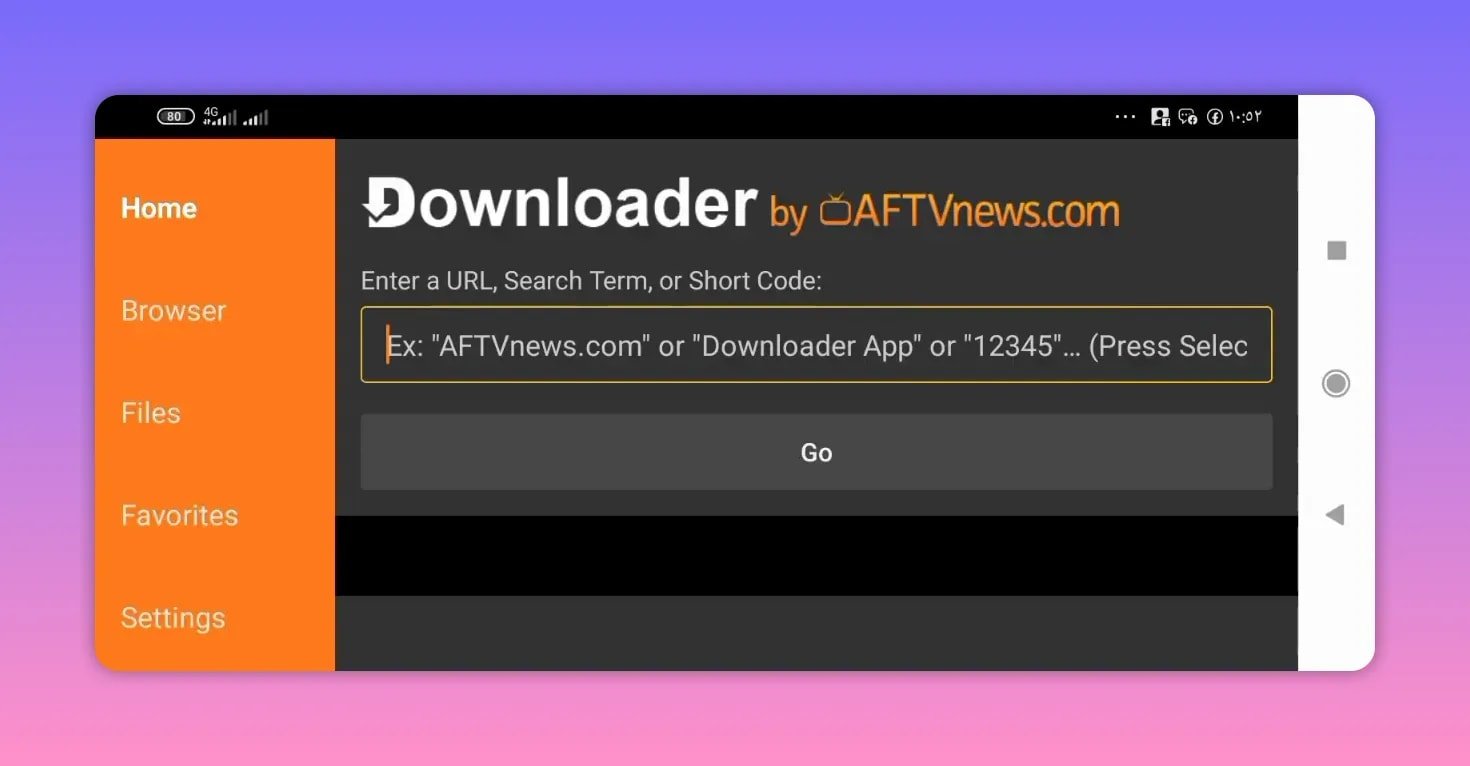
The setup shown is centered around using Downloader, which is one of the most common tools for sideloading apps on Android TV and related devices. If you have already used Downloader before, the process here is straightforward.
⬇️ Downloader code for the Hawayi tv app
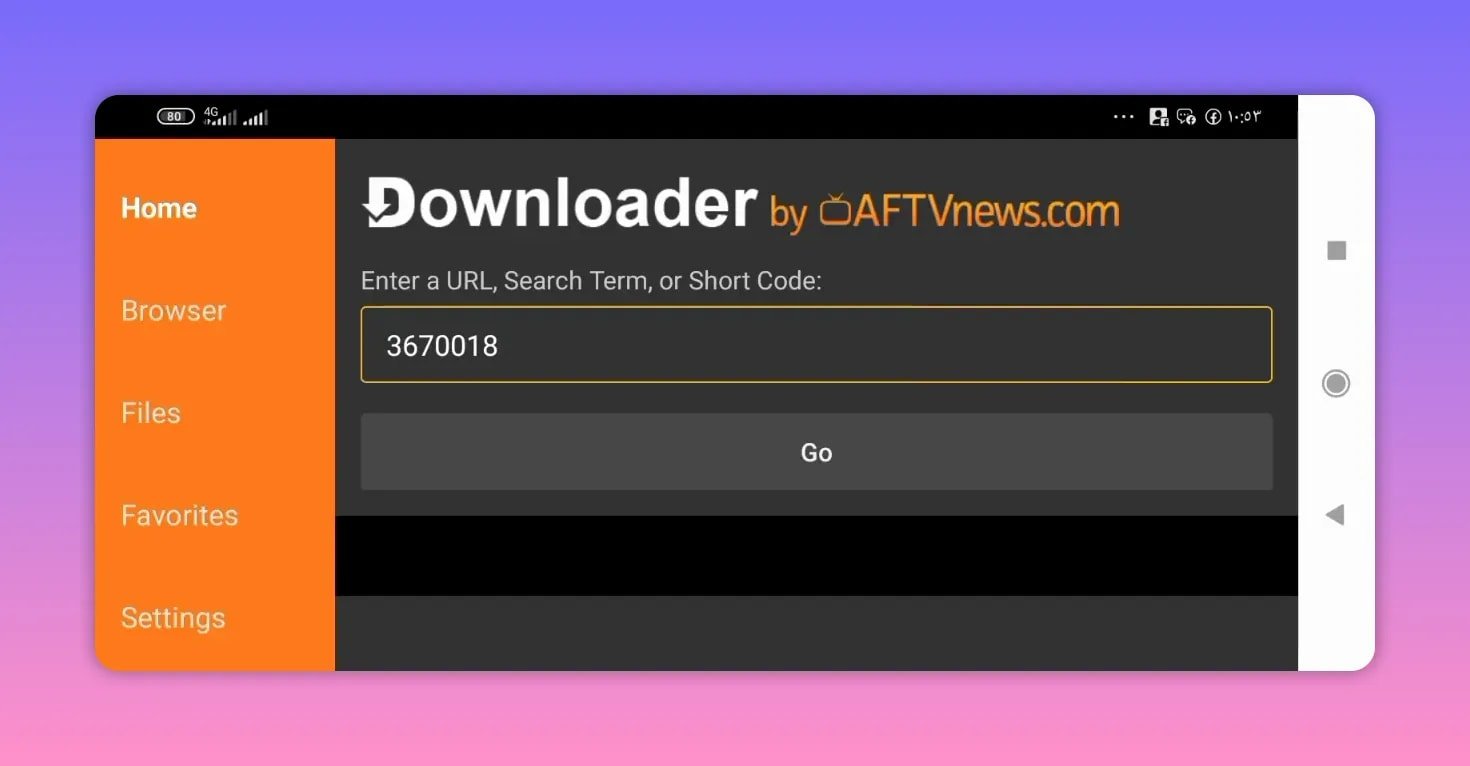
The first step is downloading the Hawayi tv app itself. Open Downloader and enter this code:
- Hawayi tv app code: 3670018
After entering the code, press Go. Within a few seconds, the page redirects to MediaFire. From there, select the app name, Hai TV or Hawayi tv, and begin the download.
The app size is about 14 MB, so it should install quickly and will not take much storage space on your device.
Step-by-step app install
- Open Downloader on your device.
- Enter 3670018.
- Press Go.
- Wait for the redirect to MediaFire.
- Select the Hawayi tv APK.
- Download and install it.
If you like this style of quick installation guide, this related walkthrough on installing Android TV apps with Downloader follows a similar pattern.
▶️ The required player for Hawayi tv
Hawayi tv does not stop at the main app install. You also need the external player used by the app. In this case, the player is MV Player.
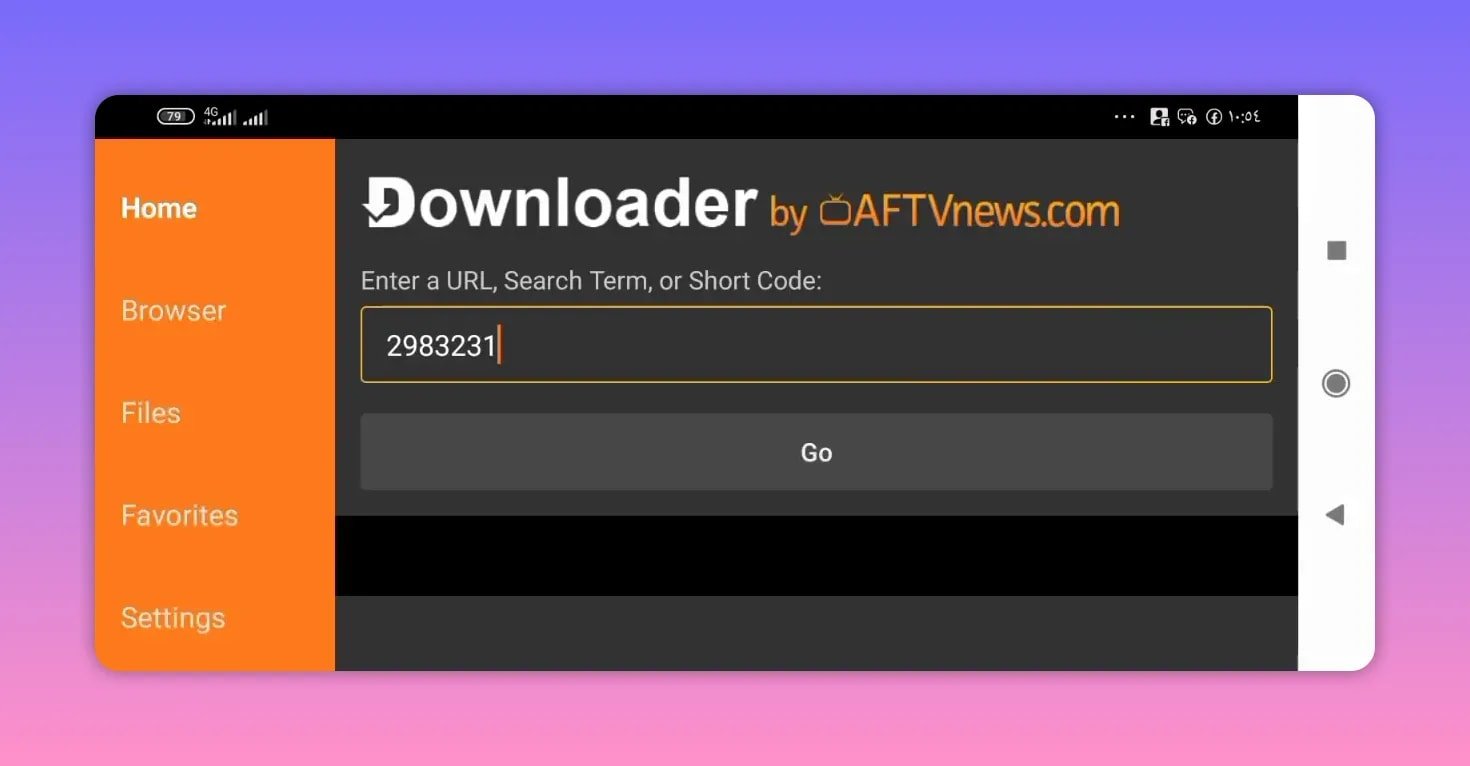
Use this Downloader code for the player:
- MV Player code: 2983231
Again, enter the code in Downloader, press Go, and wait for the MediaFire page to open. Scroll down, choose the modified version of the player, and download it.
Important note about the player
This part is important: do not open the player after installing it.
Just install it and leave it alone. Open Hawayi tv instead. When you run a channel from inside the app, the player should launch automatically and begin playback.
This is the intended flow. If someone installs the player and tries to use it separately first, it can create confusion because the setup is meant to be handled through the main app.
⚙️ Streaming quality and server choices
One of the useful details in Hawayi tv is the mix of servers. That means you are not forced into one stream that may or may not suit your connection.
The app includes:
- Higher-quality servers for better internet connections
- Medium-level servers for balanced use
- Servers that can be more suitable for weak internet
There is also a quality adjustment option inside the player, if the server supports it. So if playback feels too heavy for your connection, it may be possible to reduce quality from the player settings and get a smoother stream.
This is a practical setup because not every connection stays stable all day. Having both server variation and possible quality control gives Hawayi tv more flexibility than a one-size-fits-all app.
For general background on Android TV apps and device compatibility, Android TV is a useful reference.
🛠️ Full installation flow in order
To keep everything working smoothly, follow the setup in this exact order:
- Install the Hawayi tv app using code 3670018.
- Install MV Player using code 2983231.
- Do not open the player on its own.
- Open Hawayi tv.
- Select a channel or match.
- Let the player open automatically.
- Adjust quality in the player if the stream supports it.
That is the cleanest way to use Hawayi tv on either a phone or a TV setup.
✅ Why this Hawayi tv version stands out
There are a few reasons this version is presented as a strong option:
- No ads, which makes the app more comfortable to use
- Small file size, so installation is light and quick
- Wide device compatibility across phones and TV screens
- Useful sports access, especially for today’s matches
- Flexible server selection for different internet conditions
If you usually test several streaming apps before settling on one, Hawayi tv has the kind of lightweight and practical structure that makes it worth trying, especially when you want something simple that does not overload the device.
Another similar Android TV install guide can be found here: Android Sky TV setup with Downloader.
❓ FAQ
What is the Downloader code for Hawayi tv?
The Downloader code for Hawayi tv is 3670018.
What is the Downloader code for the player used with Hawayi tv?
The player code is 2983231, and it downloads MV Player.
Does Hawayi tv work on both phone and TV?
Yes. Hawayi tv is presented as working on Android phones as well as TV screens.
How big is the Hawayi tv app?
The app size is about 14 MB, which makes it light and easy to install.
Should the player be opened after installation?
No. Install the player, but do not launch it directly. Open Hawayi tv, then start a channel and let the player open automatically.
Can the stream quality be changed in Hawayi tv?
Yes, the player includes settings to change quality, but this depends on whether the selected server supports quality switching.
Does Hawayi tv have multiple servers?
Yes. Hawayi tv includes very good quality servers, medium-level servers, and options that can be better suited to weak internet connections.