If you want the latest version of the General app on Android TV or on an Android phone, the fastest method is using the Downloader app and the correct short code for your device.
Here I am sharing both codes, the basic installation flow, and the few things you need to know before starting so the app installs smoothly without errors.
Table of Contents
- 📺 What you need before installing
- 🖥️ Downloader code for the General TV version
- 📱 Downloader code for the General phone version
- ⬇️ How the installation flow works
- ⚠️ Common issues to avoid
- ✅ Quick reference
- ❓FAQ
📺 What you need before installing
This method works on:
- Android TV screens
- Google TV devices
- Any device that supports Android TV
- Android phones
You need the Downloader app installed first. On phones, download it from Google Play, then use the same process with the code for the mobile version.
If you usually install streaming apps this way, you may also find more Android TV app guides here: https://app.mc1.me/category/android-tv.
🖥️ Downloader code for the General TV version
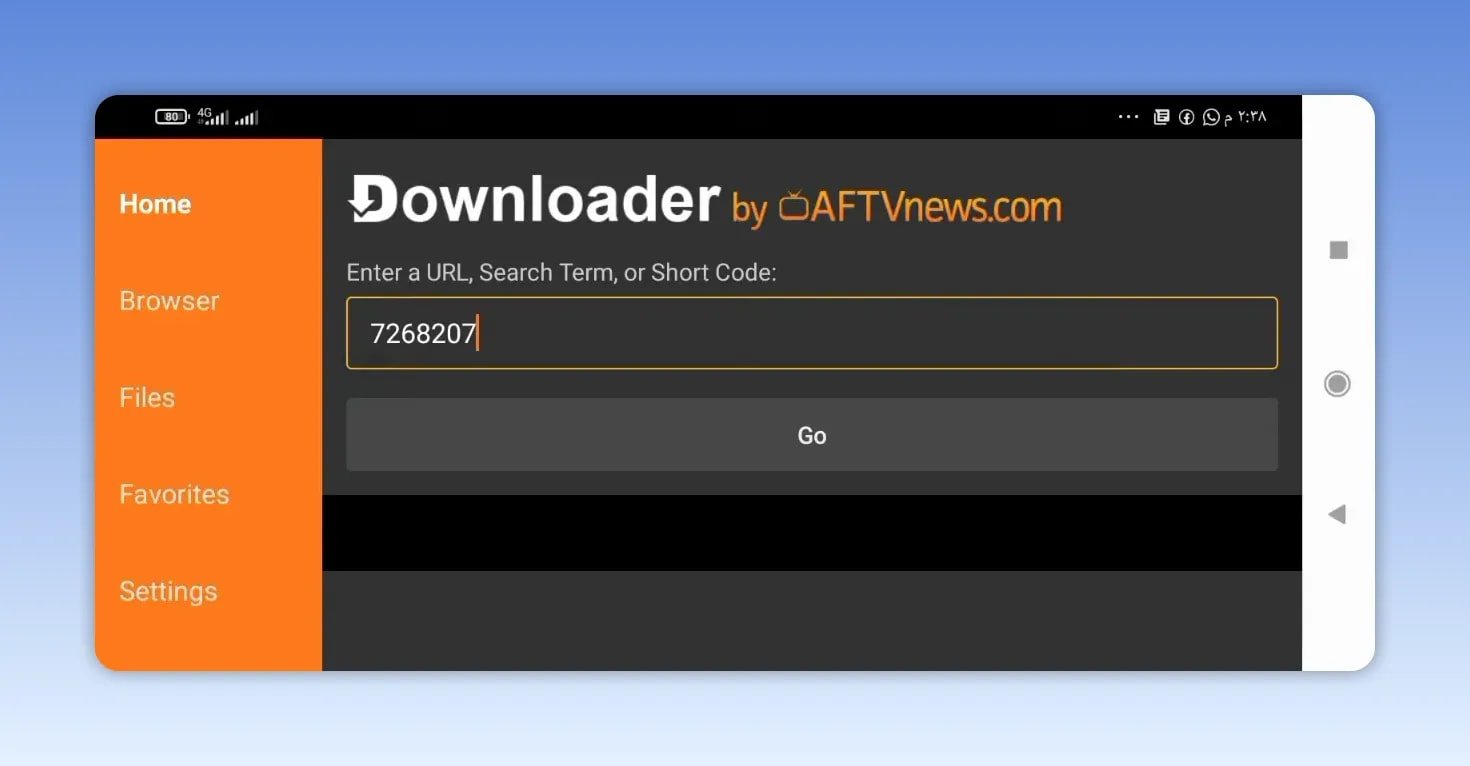
Start with the TV version if you are installing on a television or Android TV box.
Enter this code in Downloader:
- 7268207
After entering the code, press Go. Wait around five seconds and Downloader will redirect you to the download page, which opens on MediaFire.
Once the page opens:
- Select the app name.
- Wait a few more seconds.
- The automatic download should begin.
This version is the latest release made for TV screens and it runs well on compatible devices.
TV version size
The TV build is about 57 MB. Make sure you have enough free storage before installing.
If storage is too low, Android may show the familiar error that the application is not installed. In many cases, the fix is simply clearing enough space and trying again.
TV activation code
For the activation code, use:
- 000 in the first field
📱 Downloader code for the General phone version
If you want the mobile version, the process is almost identical. The only thing that changes is the short code.
Enter this code in Downloader on your Android phone:
- 3281307
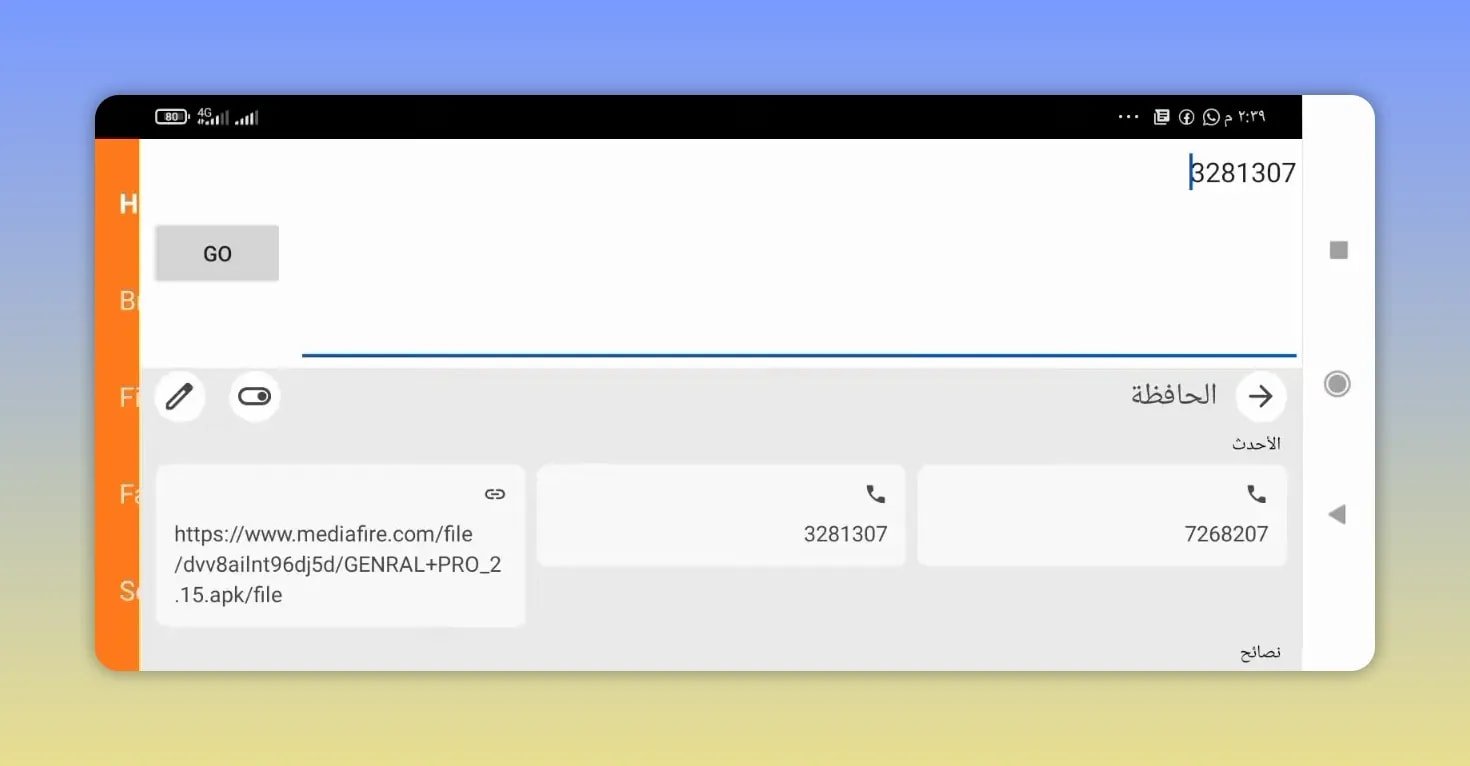
Then:
- Press Go.
- Wait for the redirect to MediaFire.
- Scroll down if needed.
- Tap the app name.
- Wait a few seconds for the automatic download to start.
The phone version is lighter than the TV version, so it takes less space and usually downloads a bit faster.
Phone version size
The mobile build is about 29 MB, so it does not require much storage.
If you need another similar Downloader-based install walkthrough, this guide follows the same kind of process: https://app.mc1.me/5-simple-steps-to-install-a-new-great-app-for-tvs-and-phones-with-high-quality-and-smooth-performance/.
⬇️ How the installation flow works
The steps are simple on both device types:
- Open Downloader.
- Type the correct short code.
- Press Go.
- Wait for the redirect to MediaFire.
- Select the app file.
- Let the download begin automatically.
The main difference is only the version you choose:
- 7268207 for TV
- 3281307 for phones
If you already know how Downloader short codes work, this setup will feel very familiar. If not, the important part is using the right code for the right device.
⚠️ Common issues to avoid
To save yourself time, keep these points in mind:
- Use the correct version for your device. TV and phone builds are separate.
- Wait a few seconds after pressing Go. The redirect is not always instant.
- Check your storage space, especially on TV devices where the app size is larger.
- Select the app name on the MediaFire page to trigger the proper file download.
If an app fails to install, low storage is one of the first things to check. That matters more on the TV version because it is nearly double the size of the phone build.
✅ Quick reference
- General TV code: 7268207
- General phone code: 3281307
- TV version size: about 57 MB
- Phone version size: about 29 MB
- TV activation code: 000 in the first field
- Download source after redirect: MediaFire
❓FAQ
What is the Downloader code for the General app on TV?
The TV version code is 7268207.
What is the Downloader code for the General app on Android phones?
The phone version code is 3281307.
Where does the download open after entering the code?
After pressing Go, Downloader redirects to a MediaFire download page.
How big is the TV version of the General app?
The TV version is about 57 MB.
How big is the phone version?
The phone version is about 29 MB.
What activation code should be used?
Use 000 in the first field for the activation code mentioned here.