If you have been looking for a simple streaming app that works better on weak internet, xmax is one of the options worth trying again. The latest version has returned, and the main reason it stands out is straightforward: its servers are geared more toward medium and lower quality streaming, which can make playback easier on slower connections.
This guide explains how to install xmax, what download code to use, where the file comes from, the app size, and the activation code needed after installation. If you usually install TV apps through Downloader, the process will feel very familiar.
Table of Contents
- 📺 Why xmax is useful for weak internet
- ⬇️ What you need before installing xmax
- 🔢 Downloader code for xmax
- 🛠️ How to install xmax step by step
- 📦 File size and what to expect
- 🔐 Activation code for xmax
- ✅ A few practical notes before you use xmax
- 🌐 Why the MediaFire step matters
- 🧭 Final takeaway on xmax
- ❓ FAQ
📺 Why xmax is useful for weak internet
Not every streaming app is built for the same type of connection. Some focus on high quality streams first, which is great when the internet is stable and fast, but frustrating when bandwidth drops.
xmax is being recommended here specifically for people with slower internet. The reason is simple: the app relies on servers that offer medium to low quality streaming. That may not sound exciting if all you care about is maximum resolution, but for many people it is exactly what makes an app practical.
- Streams can be easier to load on limited bandwidth
- Buffering may be reduced compared with heavier apps
- The app is aimed at people who want access to many channels without requiring strong internet
If that is the kind of setup you need, xmax becomes much more relevant than apps designed only for high-speed networks.
⬇️ What you need before installing xmax
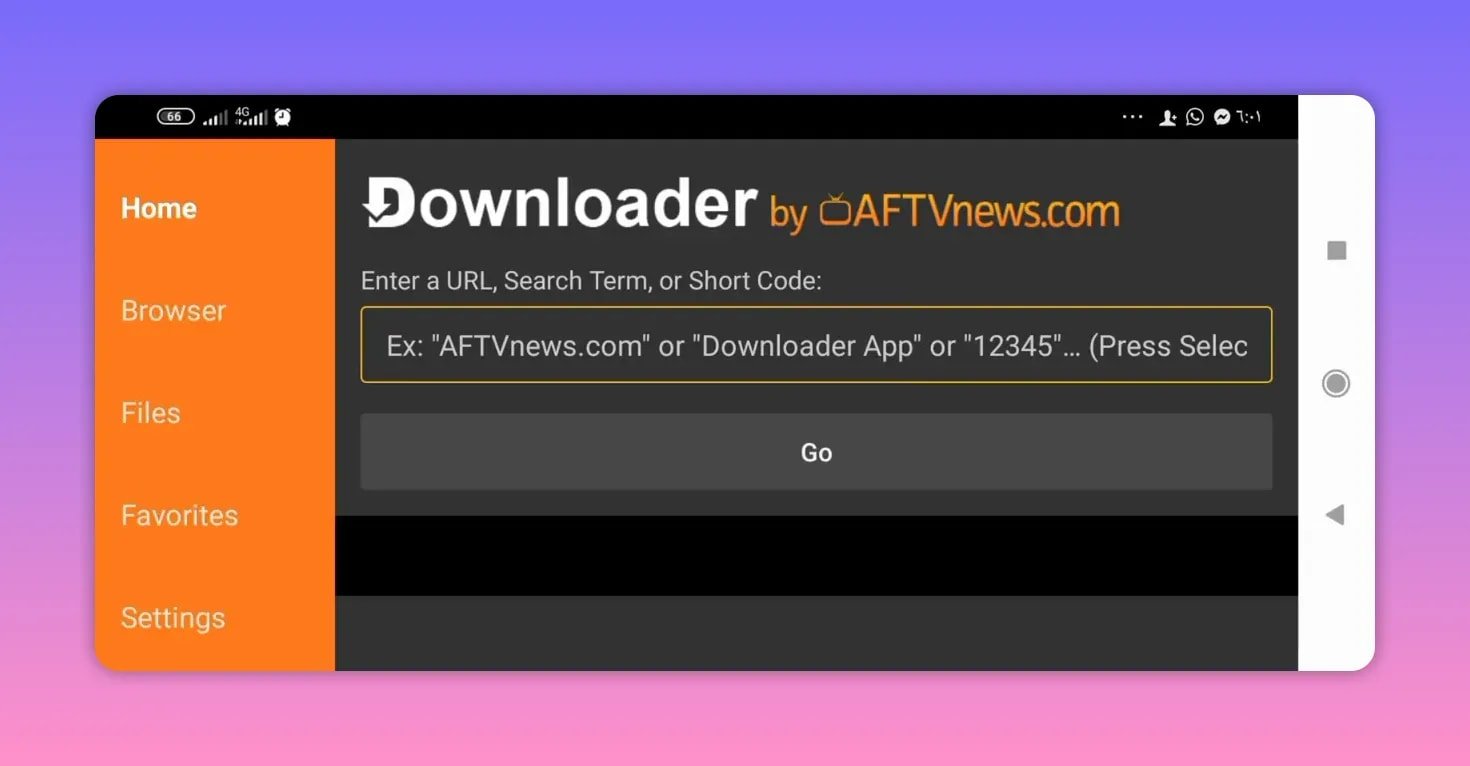
To install xmax, you need the Downloader app on your device. If it is not already installed, get it first from the Google Play Store if your device supports it.
This method is common on Android TV and similar devices because Downloader lets you enter a short numeric code instead of manually typing a long file address.
If you often install TV apps this way, you may also find similar Android TV app guides useful in this Android TV apps category.
🔢 Downloader code for xmax
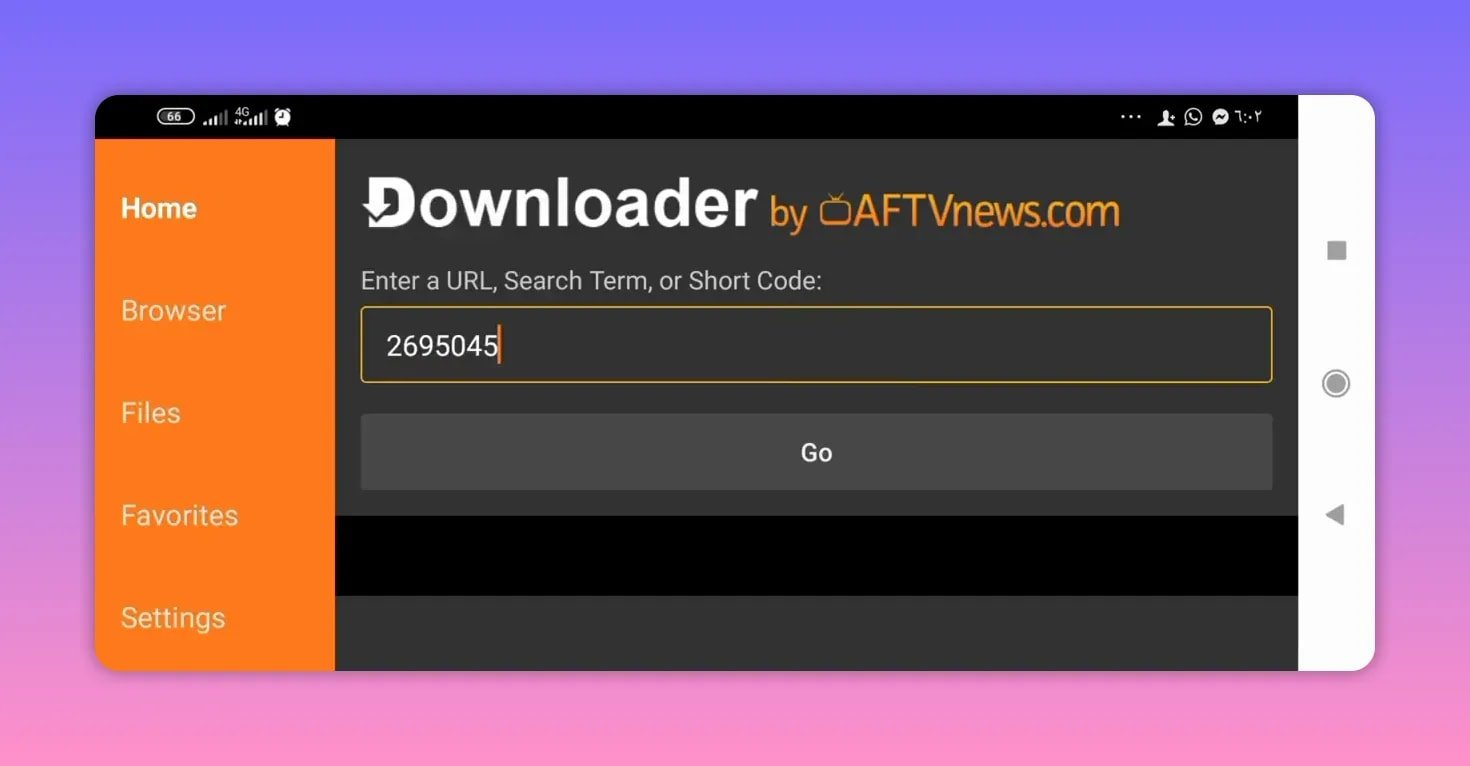
The Downloader code for xmax is:
269545Once you open Downloader, enter that code exactly, then continue to the next step.
🛠️ How to install xmax step by step
- Open the Downloader app on your Android TV or compatible device.
- Enter the code 269545.
- Press Go.
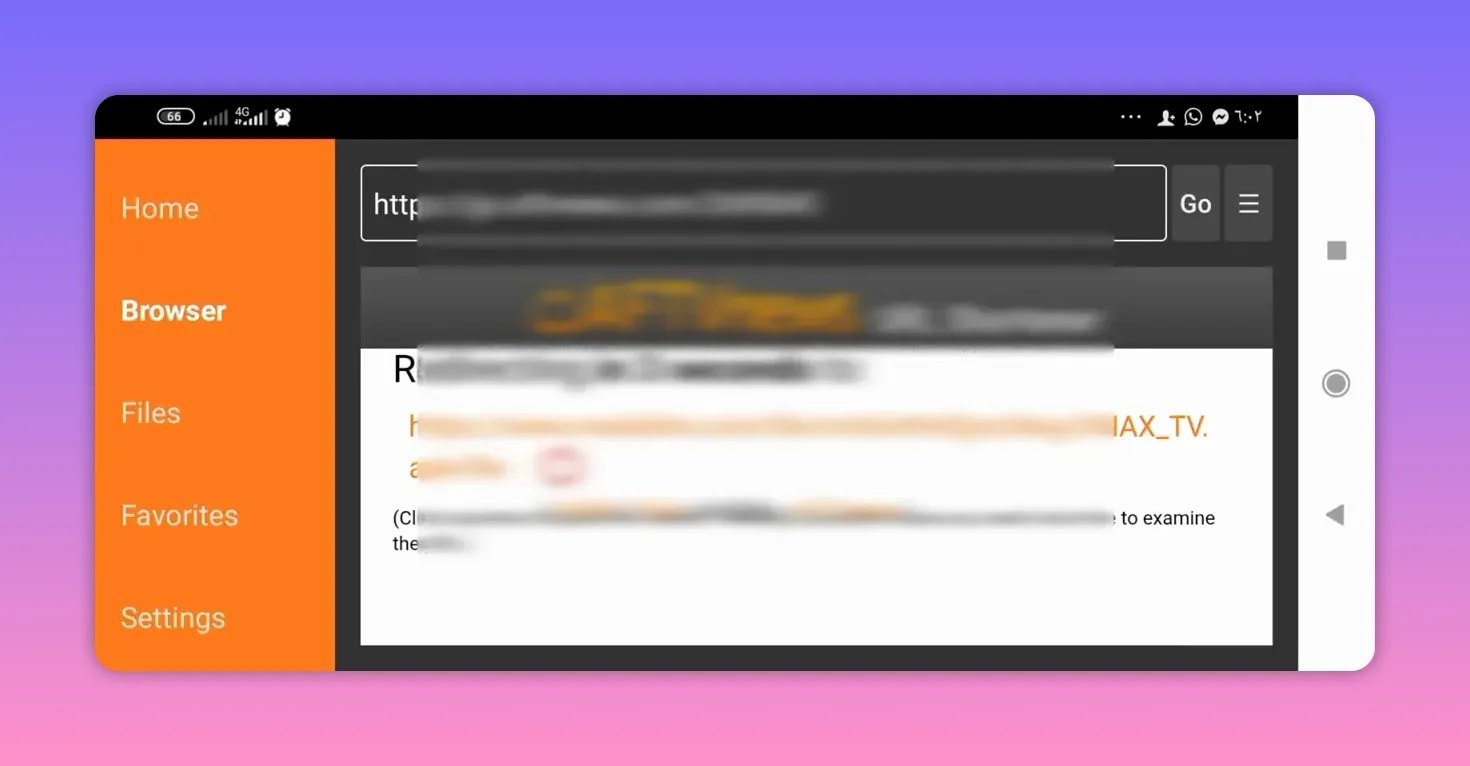
- You will be redirected to a MediaFire page for the download.
- Wait a few seconds for the page to load fully.
- Scroll down until you find the file named xmax TV.
- Select the app file to start the download.
- If the first press does not begin the download, press again.
- Wait for the APK to finish downloading, then proceed with installation.
That is the full installation path. There is no complicated setup here. The main thing is knowing that the code sends you to MediaFire, and sometimes the download button may need a second tap before the file starts properly.
📦 File size and what to expect
The latest xmax app file is around 26 MB. That is a relatively manageable size, especially for TV devices that do not always have a lot of free storage.
A smaller app size does not automatically mean better performance, but it does mean:
- quicker downloading on slower internet
- less storage pressure on the device
- a simpler installation process overall
The app is also being presented as a returning version, with the servers coming back gradually. So if you already knew xmax from before, this release is essentially part of its comeback.
🔐 Activation code for xmax
After installing xmax, the app may ask for an activation code. The activation method shared here is very simple:
1111In other words, enter the number 1 four times in the activation field.
If the app prompts for activation during first launch, this is the code to try.
✅ A few practical notes before you use xmax
There are a few useful points to keep in mind with xmax:
- Best suited for weak internet: this is the main reason to use it.
- Server quality is not focused on HD-first playback: the benefit is smoother access for slower connections.
- Download may require a second press: if MediaFire does not start right away, try again.
- The app is lightweight: around 26 MB.
- Activation is simple: enter 1111 if prompted.
If you like testing this kind of TV app install method, you might also want to compare it with another Downloader-based setup such as this Android TV installation guide for Abdo Plus.
🌐 Why the MediaFire step matters
Many people get confused when a Downloader code does not send them directly to the APK file. In this case, the code redirects to a MediaFire download page. That means there is one extra step: you still need to scroll and choose the actual xmax TV file.
This is normal for many sideloaded Android TV apps. If you are new to it, MediaFire is simply acting as the file host. You can learn more about it on MediaFire.
The small detail that matters here is patience. Wait a few seconds, scroll down, select the file, and if needed, tap again.
🧭 Final takeaway on xmax
xmax is not being positioned as the app for ultra-high-quality streaming. It is being recommended for something more practical: working on weak internet while still giving access to many channels.
That is exactly why this kind of app can still be useful. If your internet is unstable, or if other apps constantly buffer because they prioritize heavy streams, xmax may be a better fit.
To recap the essentials:
- App name: xmax TV
- Best for: weak internet
- Downloader code: 269545
- Download source: MediaFire
- App size: about 26 MB
- Activation code: 1111
If your goal is a lighter app with lower-bandwidth streaming options, xmax is worth installing again.
❓ FAQ
What is the Downloader code for xmax?
The Downloader code for xmax is 269545.
Is xmax good for weak internet?
Yes. xmax is specifically recommended for weak internet because its servers provide medium to lower streaming quality, which is generally easier to run on slower connections.
Where does the xmax code take me?
After entering the code in Downloader, you are redirected to a MediaFire page where the xmax TV APK can be selected and downloaded.
What should I do if xmax does not start downloading the first time?
If the first press does not start the download, try pressing the file again. The download may begin on the second attempt.
How large is the xmax app?
The app size is about 26 MB.
What is the activation code for xmax?
If xmax asks for an activation code, enter 1111, which is the number 1 repeated four times.