If you use Android TV, Google TV, or even an Android phone and you like testing updated streaming apps, these two apps are worth your attention. The latest versions of OZ TV and Kira TV are simple to install with the Downloader app, and both follow the same familiar method: enter a short code, get redirected to a MediaFire download page, then install the APK.
Here I’ll go through both apps clearly, including the current Downloader codes, what each app offers, and the current Kira TV activation code.
Table of Contents
- 📺 What’s included in these new updates?
- ⬇️ How to install OZ TV with Downloader
- 🔐 How to install Kira TV and activate it
- 🛠️ Quick installation flow for smart TVs and Android TV devices
- 📱 Device compatibility and practical notes
- ✅ Best reasons to try these two apps
- ❓FAQ
📺 What’s included in these new updates?
The focus here is on two updated apps for Android-based devices:
- OZ TV with the latest available version mentioned as version 18
- Kira TV with its latest APK and a working activation code
Both apps are presented as working on:
- Android TV
- Smart TVs running Android TV or Google TV
- Android phones
The installation path is straightforward and familiar to anyone who has used Downloader before. If you regularly install TV apps this way, you may also like browsing other Android TV app installation guides here.
⬇️ How to install OZ TV with Downloader
OZ TV is described as a very solid app with good quality and a wide mix of content. The app includes:
- Movies
- Series
- Live channels
The APK size mentioned is around 20 MB, which keeps it relatively lightweight for most Android TV boxes and televisions.
Downloader code for OZ TV
To install the latest OZ TV version, enter this code in the Downloader app:
26617This code is formed by entering:
- 26
- 61
- 7
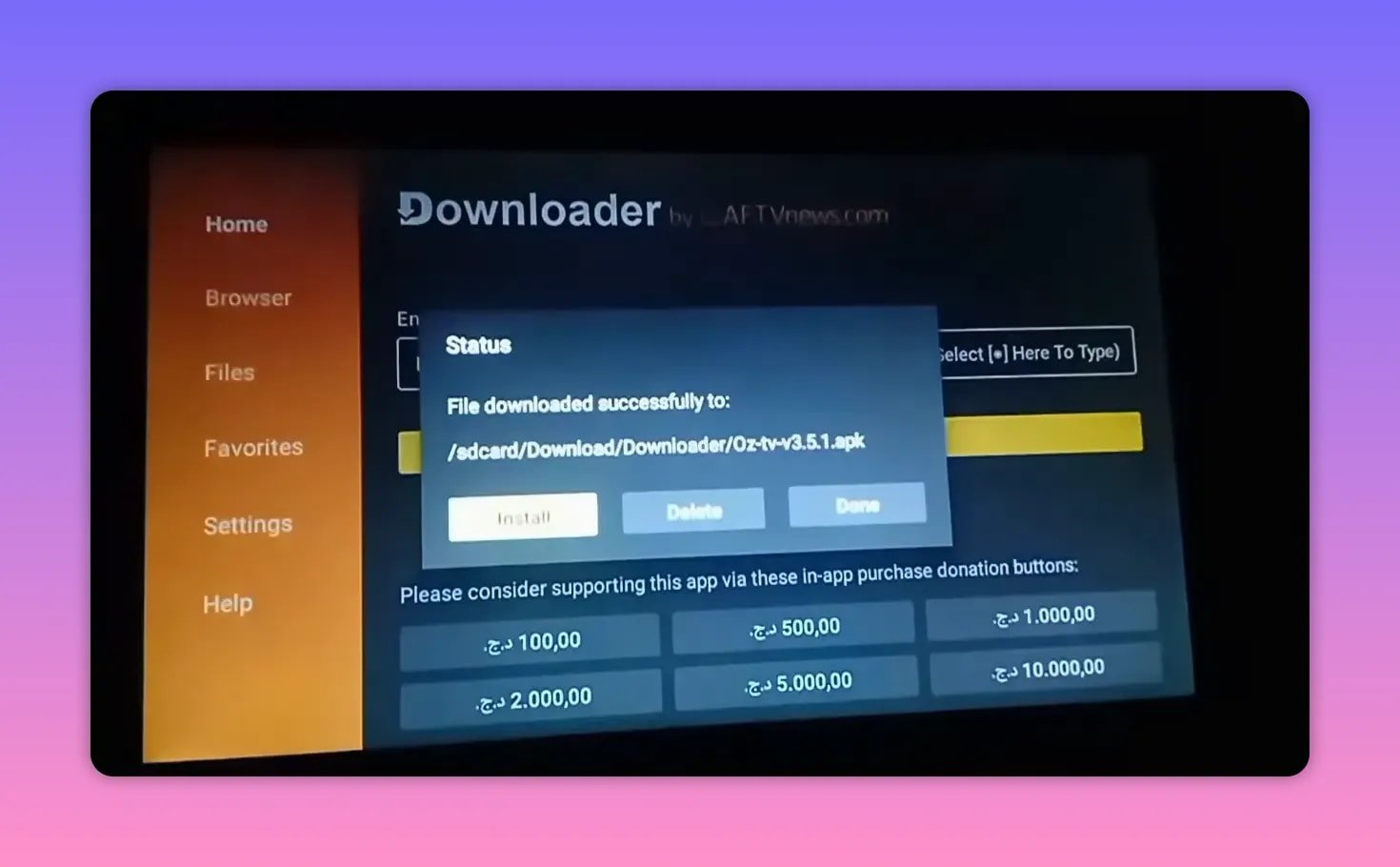
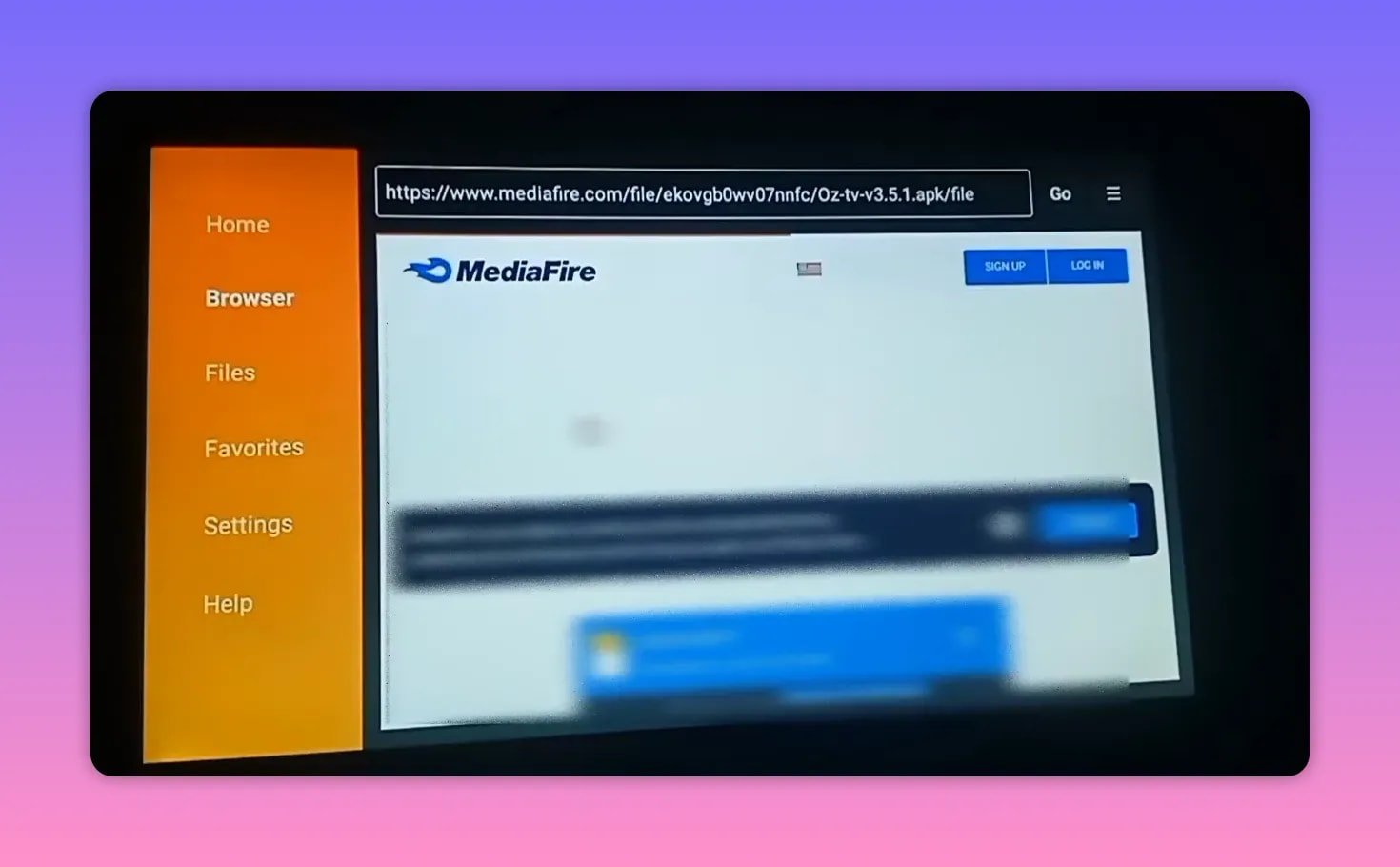
Once you confirm the code, Downloader should redirect you directly to MediaFire.
What happens after entering the code
After the redirect:
- Wait for the MediaFire page to load.
- Scroll down if needed.
- Tap the app name.
- Start downloading the APK.
- Install the app on your Android TV or phone.
This version is presented as the newest one and suitable for both TV devices and phones.
Why OZ TV stands out
The main selling points mentioned for OZ TV are simple but important:
- Good streaming quality
- A rich content library
- Support for multiple content types
- Compatibility with Android TV
If you want one app that combines channels, films, and series in a single interface, OZ TV is positioned as the all-in-one choice here.
🔐 How to install Kira TV and activate it
The second app in this update is Kira TV. The installation method is very similar, but there is one extra step afterward: activation.
Downloader code for Kira TV
Enter this code inside Downloader:
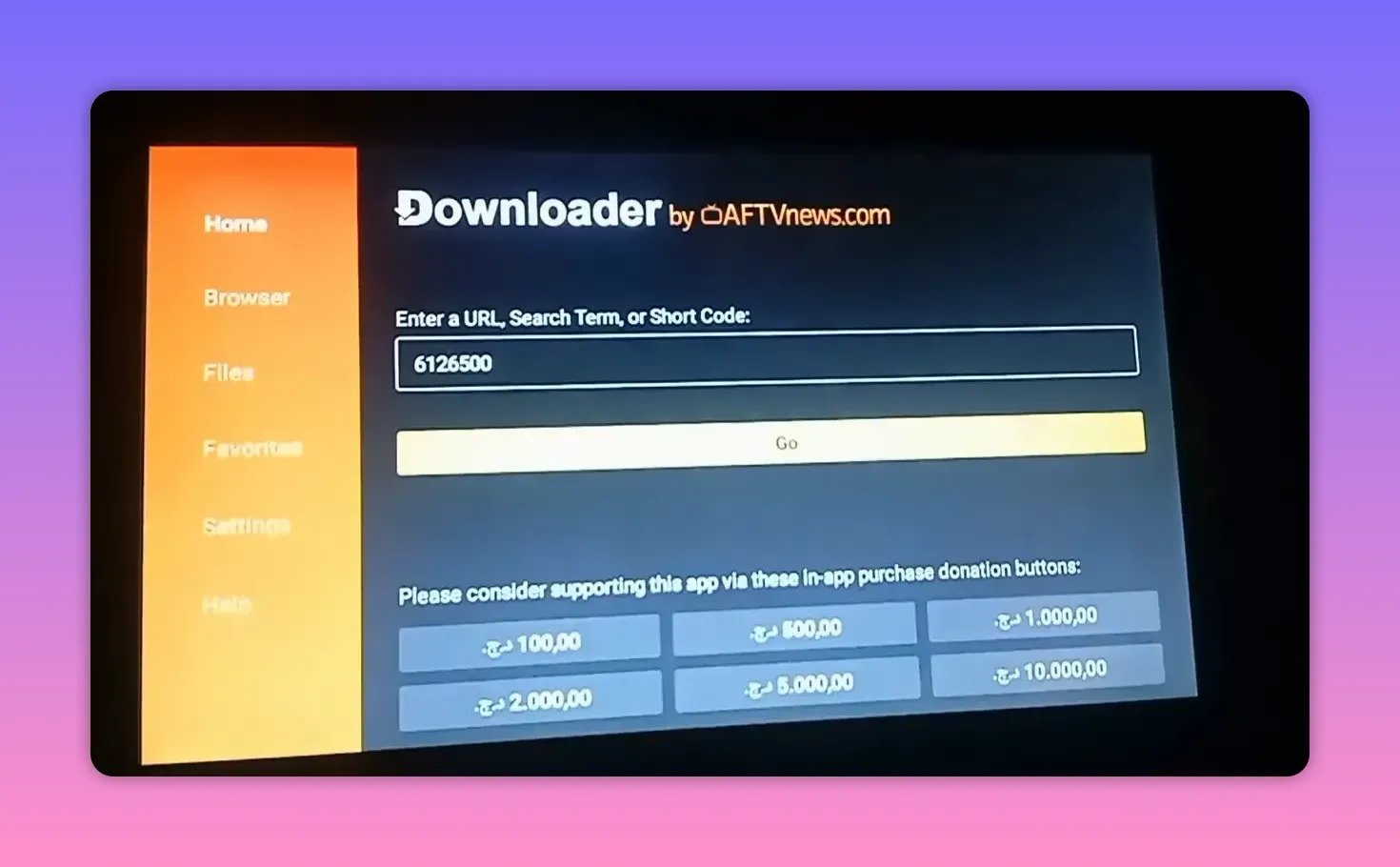
6126500This is entered as:
- 61
- 26
- 500
After pressing Go, the app should redirect in around five seconds to a MediaFire page containing the latest Kira TV APK.
- Open Downloader.
- Clear any previous code.
- Enter 6126500.
- Press Go.
- Wait for the redirect.
- Tap the app name on MediaFire.
- Download and install the APK.
Kira TV activation code
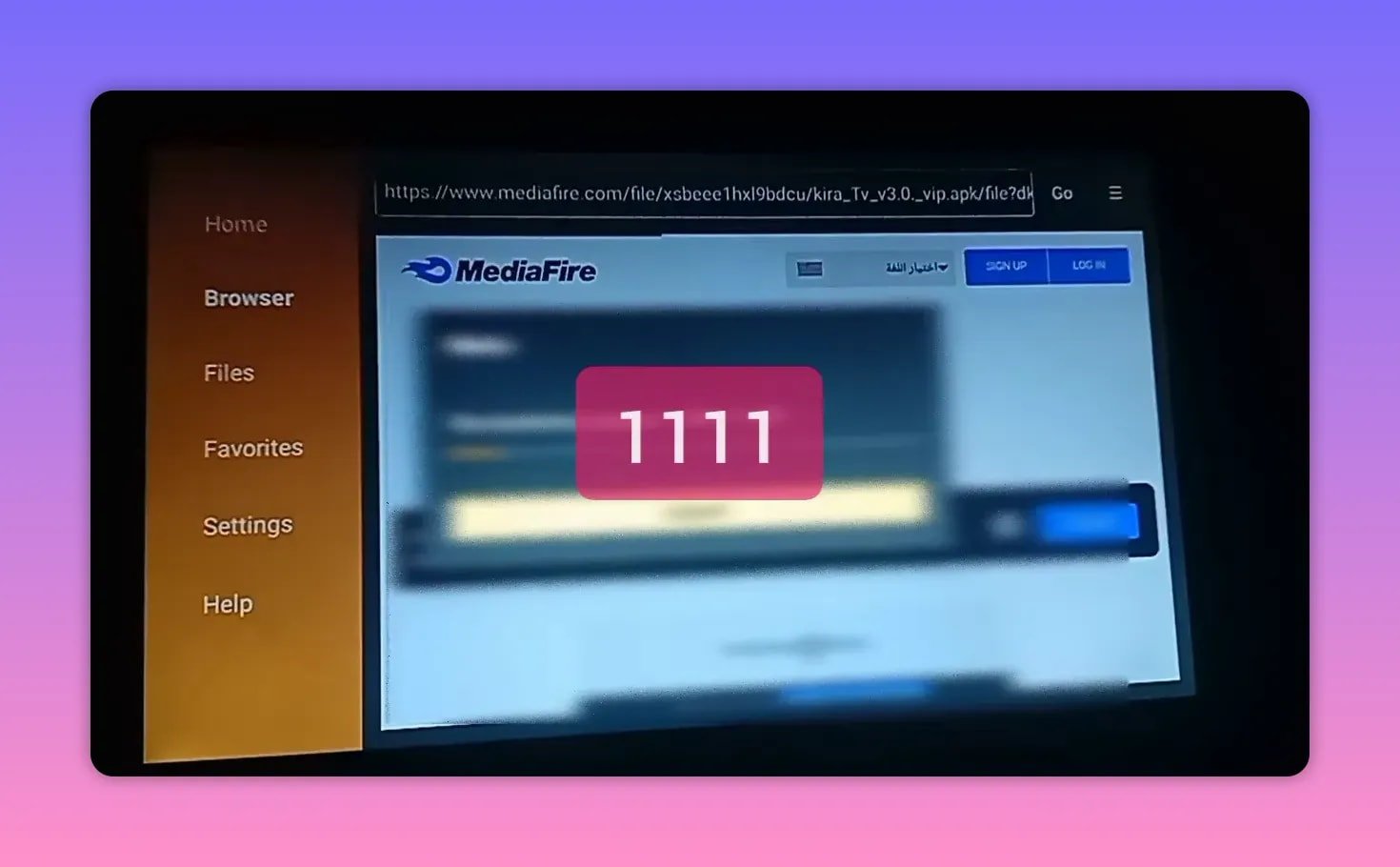
After installation, Kira TV requires an activation code. The current code shared here is:
1111That means you simply enter the number 1 four times.
Once entered correctly, the app should activate and work normally.
If you’re already used to apps that install through Downloader and then require activation, you might also find this similar guide useful for another TV app setup: Mosul 1 Android TV App Download Guide.
🛠️ Quick installation flow for smart TVs and Android TV devices
Both apps follow nearly the same installation pattern. If you want the short version, here it is:
- Open the Downloader app on your Android TV or Google TV device.
- Type the code for the app you want.
- Press Go.
- Wait for the redirect to MediaFire.
- Select the APK file by tapping the app name.
- Download and install.
- If you install Kira TV, enter activation code 1111.
If you need another example of this same Downloader-style workflow, this tutorial on installing an Android TV app via Downloader follows a very similar approach.
📱 Device compatibility and practical notes
These apps are presented as compatible not only with televisions, but also with phones. That matters because some APKs work fine on mobile but feel clumsy on a TV, while others are clearly made with TV navigation in mind.
Here, the emphasis is on Android TV support, which includes common setups like:
- Android TV boxes
- Smart TVs with Android TV built in
- Google TV devices
- Android smartphones
For OZ TV in particular, the lightweight file size is a plus if your device has limited storage.
✅ Best reasons to try these two apps
If you’re deciding which one to install first, the difference is simple:
- Choose OZ TV if you want a broad mix of movies, series, and channels with good quality.
- Choose Kira TV if you want the latest version and don’t mind entering an activation code after installation.
Both are shared as updated APK options for people who prefer installing apps manually on Android TV instead of relying only on the Play Store.
❓FAQ
What is the Downloader code for OZ TV?
The Downloader code for OZ TV is 26617.
What is the Downloader code for Kira TV?
The Downloader code for Kira TV is 6126500.
What is the activation code for Kira TV?
The current activation code shared for Kira TV is 1111.
Do these apps work on Android phones or only on TVs?
They are presented as working on Android TV devices and Android phones.
Where do the Downloader codes redirect?
After entering the code, the download redirects to a MediaFire page where the APK file can be selected and downloaded.
What kind of content does OZ TV include?
OZ TV includes movies, series, and channels, with good quality highlighted as one of its main strengths.
How large is the OZ TV app?
The size mentioned for the OZ TV APK is around 20 MB.